numerator = 10
denominator = 5
print(numerator / denominator)2.0One of the most useful aspects of Python is the ability to work with complex datasets. However, to do so it is useful to understand a little bit about data types.
In the end a computer stores everything as a binary sequence e.g. 0101001 but Python (and many other programming langauges) add abstractions that makes it easier to reason about our programs. We will start by exploring some primary data types and then look at a simple collection type, the list.
In the extra material we explore other types of collections, namely arrays and dataframes.
We will consider three primary data types
The code block below shows a variable of each of these types
Here the function type was used to obtain the type that Python uses for each of our variables. You don’t need to understand the details of this - just notice that these three pieces of data were automatically understood to be one of the above types.
Consider working with an mRNA molecule with sequence GCAUGCCGUUUGGAUGACCG.
What Python data type would it be natural to use for an mRNA sequence?
What Python data type would it be natural to use for the length of an mRNA sequence?
Using the cell below, how many nucleotides are in the sequence?
The len function is incredibly useful - here we used it to return the number of characters in a string.
Use the cell the below to calculate the number of codons in the mRNA
You may have notice that the number printed above is a float not an integer.
This is because Python converts division of integers into floats, for example
numerator = 10
denominator = 5
print(numerator / denominator)2.0If we know that we want an integer we can either convert back to int or use a different division operation
numerator = 10
denominator = 5
print(numerator // denominator)2The three primary types we saw above can describe a lot of things, however an actual dataset is typically a collection of several measurements/labels/etc. Imagine for example an experiment where the absorption coefficent is measured as a function of wavelength, we could represent that as
wavelength_1 = 400
absorption_1 = 2.451
wavelength_2 = 401
absorption_2 = 2.532
...
However, its pretty clear that this becomes really annoying to deal with very quickly - so we need something smarter. The simplest collection is a list
wavelengths = [400, 401, 402, 403, 404, 405]
absorptions = [2.451, 2.532, 2.567, 2.621, 2.584]
This is not too bad, it keeps the wavelengths grouped together and similarly for the absorptions.
Lists are also the type of input that is usually used for plotting, consider for example the cell below that makes a very basic plot.
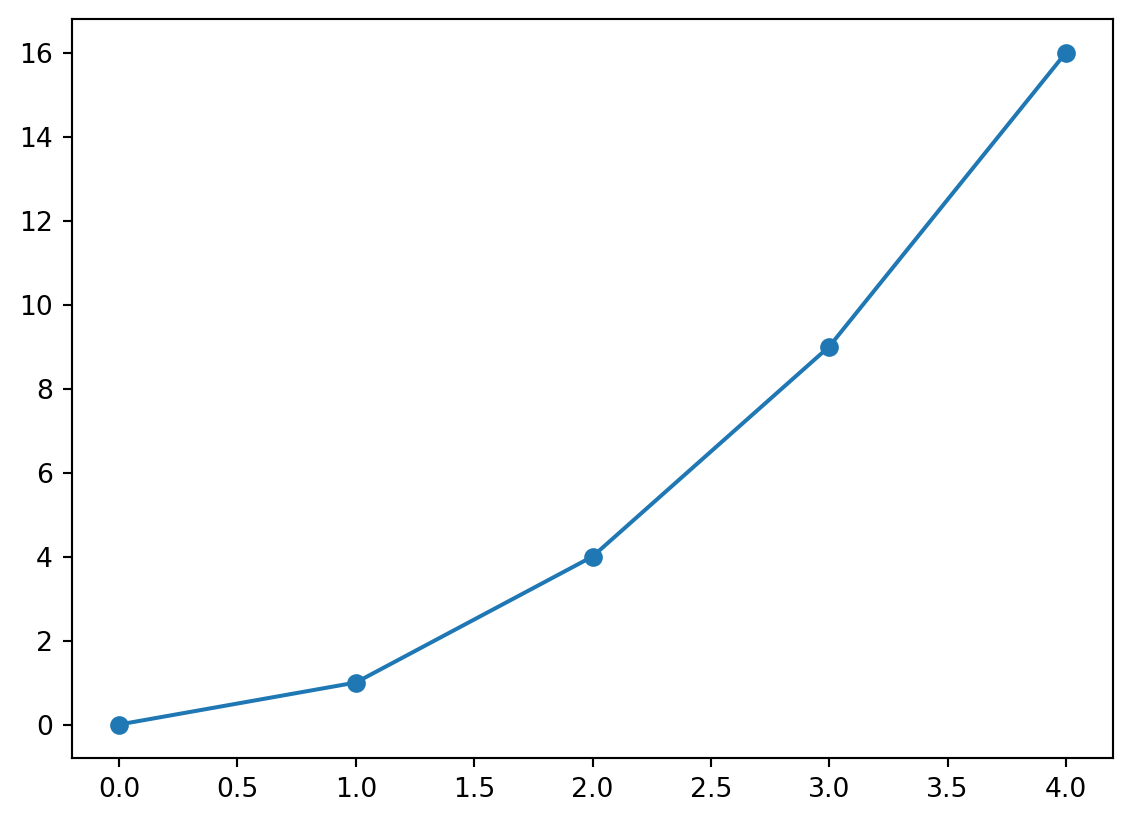
This code produces the shown figure. You will learn much more about plotting through out your studies as it is an essential part of working with scientific data.
For plotting we use every entry in the lists, but there are many situations in which we want to select a specific element of a dataset - this is achieved through indexing.
For example with the wavelengths-list we made before, we can index elements like so
element_1 = wavelengths[0]
print("The first element is: ", element_1)
The first element is: 400The indexing happened with the code wavelengths[0] where [0] specifies we want the first element. This may seem a little surprising, why do we use [0]? There is a simple reason for this, explained briefly in the footnote1.
In an experiemnt, several molecules were identified in a sample, use the cell below to
The following list contains parts of a sentence in the wrong order.
Fill in the indices so that the printed sentence is correct.
Earlier we introduced strings as a basic datatype, but in some ways they can actually also be considered a collection - and therefore strings can also be indexed.
For example, we can print the fourth element of an mRNA sequence like shown below
mrna = "GCAUGCCGUUUGGAUGACCG"
print(mrna[3])UThis also lets us use another form of indexing a slice, for example
mrna = "GCAUGCCGUUUGGAUGACCG"
codon = mrna[0:3]
print(codon)GCAHere [0:3] means: start at index 0 and stop before index 3.
For the mrna sequence use a slice to print the third codon
In many programming languages, counting starts at 0 instead of 1. This comes from how computers store lists in memory.
You can think of a list as starting at some location in memory, and each new element being a fixed step away.
The index then tells the computer how many steps to move from the start:
0 → move 0 steps → first element1 → move 1 step → second element2 → move 2 steps → third elementThis makes it simple and efficient for the computer to find elements. Most modern programming languages have kept this convention.↩︎